
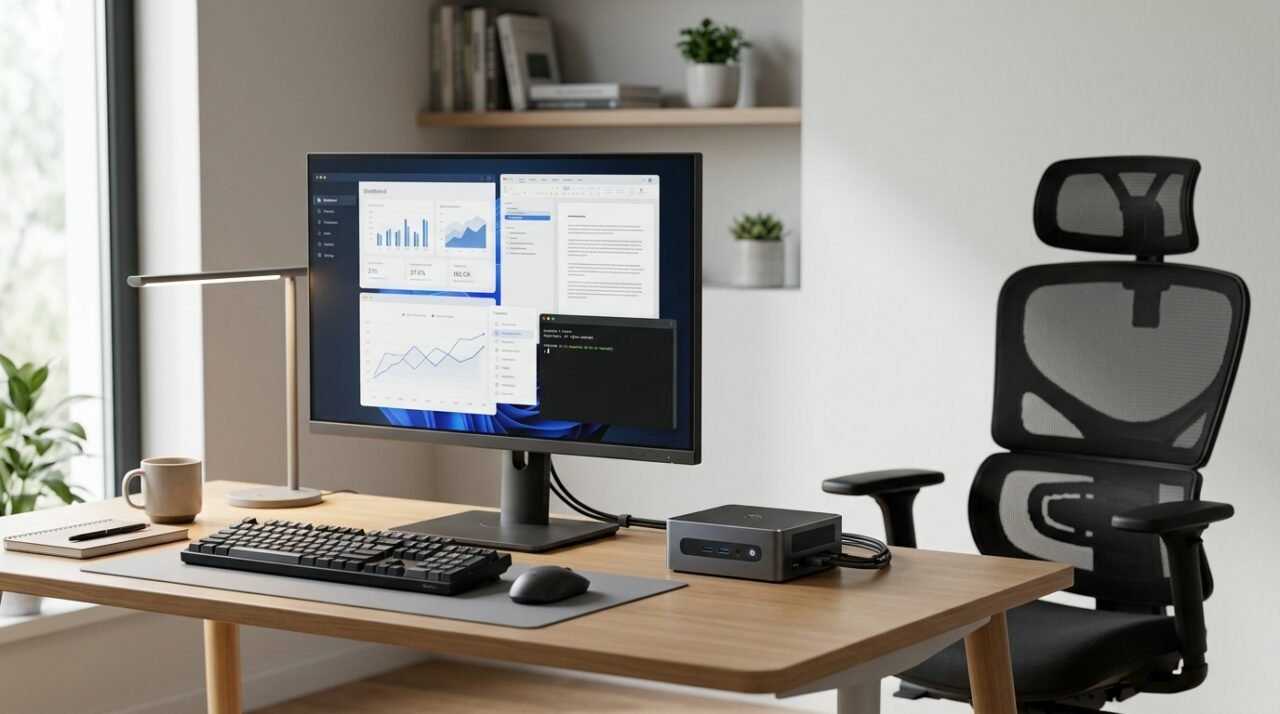
Building a capable professional workstation does not necessarily require a large tower PC or an expensive premium laptop. Compact computers, higher-quality displays, and adjustable office furniture can now deliver a practical productivity setup while using less desk space and keeping the system modular.
This research-based guide looks at three components that can form the core of a value-focused workstation: the Beelink SER8 Mini PC, the AOC Q27G3XMN Mini-LED monitor, and the Ticova Ergonomic Office Chair. The selections are based on published specifications, useful features, upgradeability, and overall suitability for productivity rather than hands-on testing by Smart Gear Select.
Important: Prices, configurations, seller availability, and warranty terms can change. Always verify the exact model and configuration before purchasing.
The Compute Engine: Beelink SER8
The Beelink SER8 is a compact PC built around AMD’s Ryzen 7 8845HS processor. The processor combines 8 CPU cores and 16 threads with boost frequencies of up to 5.1GHz, while integrated Radeon 780M graphics handle everyday productivity, media workloads, and lighter GPU-accelerated tasks without requiring a separate graphics card.
The SER8 uses DDR5-5600 SO-DIMM memory and provides two M.2 PCIe 4.0 storage slots, giving buyers considerably more upgrade flexibility than many soldered-memory ultraportable systems. Configurations vary by seller, so buyers should check the installed RAM and SSD capacity rather than assuming every SER8 ships with the same specification.
Cooling is handled by Beelink’s MSC 2.0 design, which incorporates a vapor chamber, fan, and SSD heatsink. This makes the SER8 particularly interesting for users who want sustained productivity performance in a much smaller chassis than a traditional desktop tower.
Check current Beelink SER8 price on Amazon
The Visual Interface: AOC Q27G3XMN Mini-LED Monitor
The AOC Q27G3XMN is a 27-inch QHD monitor using a Fast VA panel combined with Mini-LED backlighting. Its 2560×1440 resolution provides substantially more working space than a typical 1920×1080 display while remaining practical for a wide range of productivity systems.
A key differentiator is its 336-zone local-dimming Mini-LED system. Rather than illuminating the entire panel uniformly, local dimming allows different areas of the backlight to respond independently, improving perceived contrast when displaying mixed bright and dark content.
The monitor also supports a refresh rate of up to 180Hz and carries VESA DisplayHDR 1000 certification. Although those features are primarily marketed toward gaming, a high refresh rate can also make window movement and scrolling appear smoother during everyday desktop use.
Check current AOC Q27G3XMN price on Amazon
Ergonomics: Ticova Ergonomic Office Chair
The third component is the Ticova Ergonomic Office Chair. Unlike a fixed office chair, the Ticova design provides several adjustment points intended to let users tailor the seating position to their body and desk setup.
Depending on the specific version, adjustments include lumbar-support height and depth, headrest position, armrest position, seat height, and reclining resistance. The chair also combines a mesh back with a padded seat.
These adjustments can make it easier to experiment with a comfortable working position during longer computer sessions. However, ergonomics are highly individual, so no chair should be treated as a universal solution for posture or back discomfort.
Availability note: Ticova listings and seller availability can change. Verify the exact model, return policy, dimensions, and current seller before ordering.
Connectivity and Expandability
The Beelink SER8 provides a useful selection of modern connections for a compact workstation. Display output is available through HDMI 2.1, DisplayPort 1.4, and a full-featured USB4 connection, allowing multiple-display configurations without requiring a separate dock in many setups.
USB4 also provides up to 40Gbps connectivity for compatible peripherals. Wired networking is available through 2.5Gbps Ethernet, while Wi-Fi 6 and Bluetooth provide wireless connectivity.
The two M.2 storage slots and replaceable SO-DIMM memory are particularly useful for longevity because storage and memory can be upgraded rather than requiring replacement of the entire computer.
Software and Long-Term Use
Operating-system bundles can vary between sellers and configurations, so buyers should confirm exactly what software and license are included with the unit they are considering.
The modular nature of this setup is one of its biggest advantages. The Mini PC, monitor, keyboard, storage, and seating can each be upgraded independently. A future computer replacement therefore does not require replacing an otherwise functional monitor or the rest of the workstation.
Pricing and Availability
Prices for Mini PCs, monitors, and office chairs change frequently because of promotions, inventory, configuration differences, and seller availability. For that reason, this guide does not use a fixed total price as a promise of what the complete setup will cost.
Instead, compare the current price of each component against its specifications and alternatives before purchasing. The Beelink SER8 and AOC Q27G3XMN links above point directly to their respective Amazon product pages and include the Smart Gear Select affiliate tag.
Key Strengths
- Compact computing: The Beelink SER8 provides an 8-core/16-thread Ryzen processor in a small form factor.
- Upgradeability: Replaceable DDR5 memory and dual M.2 storage provide more flexibility than many sealed ultraportable systems.
- Display quality: The AOC Q27G3XMN combines QHD resolution with Mini-LED local dimming and a high refresh rate.
- Desk-space efficiency: A Mini PC occupies far less workspace than a conventional desktop tower.
- Adjustable seating: The Ticova chair provides multiple adjustment points rather than relying on a fixed seating position.
- Modular design: Individual components can be upgraded or replaced independently.
Limitations
- Integrated graphics: The Radeon 780M is useful for general productivity and lighter graphics workloads, but users with demanding 3D rendering, GPU compute, or high-end gaming requirements may still need dedicated graphics hardware.
- VA viewing characteristics: The AOC uses a VA panel rather than IPS or OLED, so buyers should consider viewing-angle and motion characteristics alongside its strong contrast and Mini-LED features.
- Configuration differences: Beelink SER8 memory, storage, operating-system bundles, and pricing can vary between listings.
- Chair fit is personal: An adjustable chair can provide more positioning options, but comfort depends on the user’s height, proportions, desk height, and preferences.
Buyer Guidance
Before buying the Beelink SER8, verify that the listing specifically identifies the Ryzen 7 8845HS version and check the installed RAM and SSD capacity. Beelink has sold multiple SER8 configurations, so the processor and memory specification should be confirmed rather than inferred from the product family name.
For the monitor, verify the full model number Q27G3XMN. AOC sells several similarly named Q27-series displays with different panel and backlight technologies.
For the chair, compare the listed dimensions and available adjustment ranges with your desk height and body size. Also review the current seller, warranty information, and return policy before purchasing.
Conclusion
A professional workstation is better evaluated by how well its individual components fit the intended workload than by brand prestige or headline pricing. The Beelink SER8 offers compact Ryzen-based computing with useful upgrade options, while the AOC Q27G3XMN adds QHD resolution, Mini-LED local dimming, and a high refresh rate. The Ticova chair adds adjustable seating without tying the workstation to an expensive premium furniture ecosystem.
For users whose work centers on web applications, office productivity, development, research, communication, and general multitasking, this type of modular setup can provide a practical alternative to buying a single expensive all-in-one system. Users with demanding GPU workloads should instead budget for hardware with dedicated graphics.
Smart Gear Select may earn a commission from qualifying purchases made through affiliate links, at no additional cost to you. Product prices and availability can change after publication.